How to track books you borrow or lend
Remember who has each book, when it's due back and when it was returned. Record loans in Bookrise and set a reminder for the due date.
Lent a favorite to a friend, or borrowed your next read? Record who has the book and when it’s due back. Bookrise keeps each loan in the book’s History, ready to check when you need it.
Record a loan
- Open the book’s page and scroll to History.
- Tap Add Event.
- Under Event, choose Borrowed for a book you’ve borrowed or Lent for one you’ve lent to someone else.
- Set Date to the day the loan started.
- Enter the person’s name under Borrowed From or Lent To. If you’ve entered them before, choose their name from the list. Use New Person… to add someone new.
- If you’d like a reminder, choose a Due Back date and turn on Remind Me. Allow notifications if Bookrise asks.
- Add a Note if you like, then tap the checkmark to save.
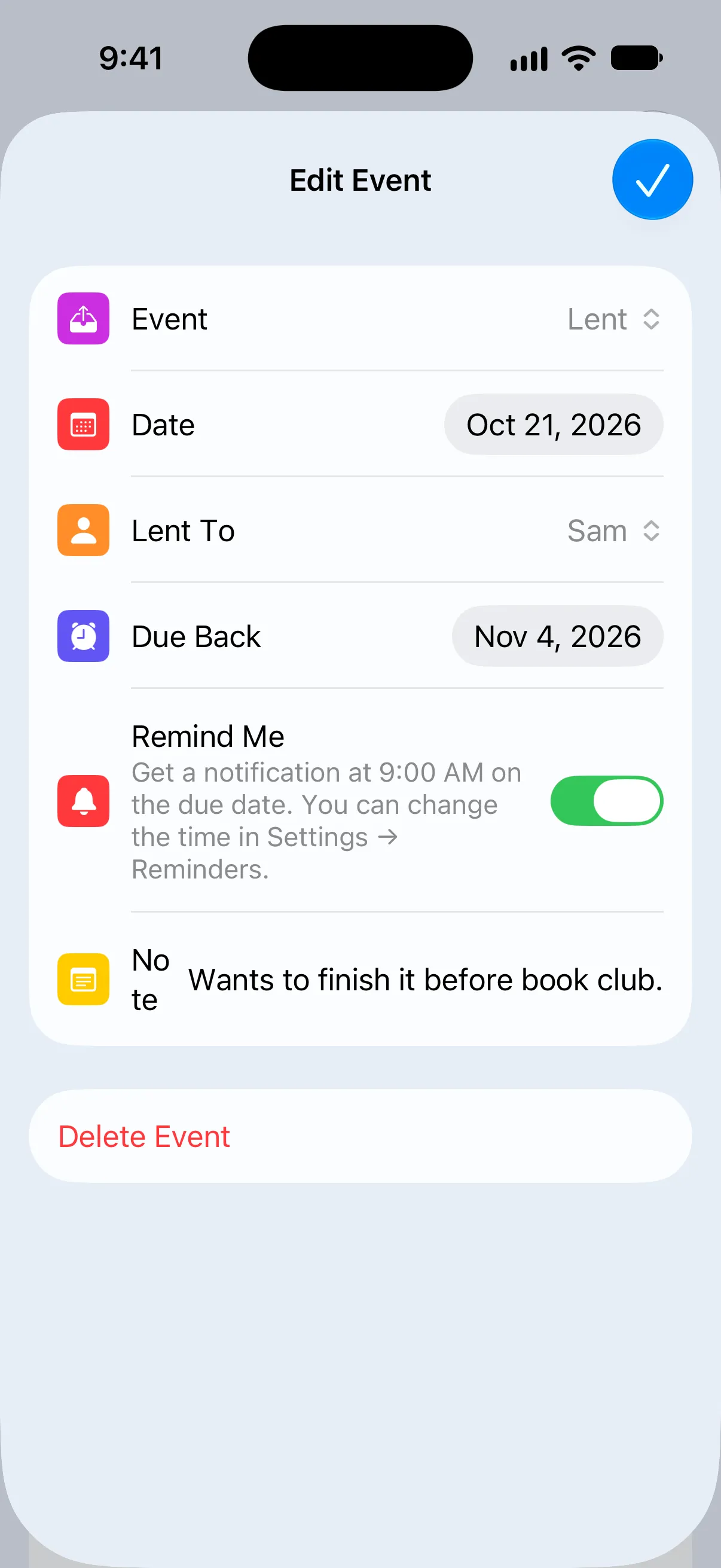

The loan appears in History with the dates and person you’ve entered. Tap it whenever you need to check or change the details. To remove it, choose Delete Event.
You can also use History to record purchases, gifts and sales. Learn about book purchases and spending.
When the book comes back
Whether you’re returning a borrowed book or getting your own copy back:
- Open the book and tap Add Event in History.
- Choose Returned and set the date.
- Tap the checkmark to save.
This closes the most recent loan and stops its reminder. You don’t need to choose the person again.
Set ownership without recording a loan
If you only want to mark whether a book is yours, use Ownership Status while adding or editing it. Under Book Status, choose Owned, Not Owned or Borrowed.
Books marked Owned appear in the Owned list on the Books tab. To remember a person’s name or a due date as well, record the loan in History.
How history changes the ownership status
When you record events in History, the latest one sets the book’s Ownership Status:
- Bought or Received as Gift: Owned
- Sold: Not Owned
- Borrowed: Borrowed
- Lent: Owned, since it’s still your book
- Returned after Borrowed: Not Owned
- Returned after Lent: Owned
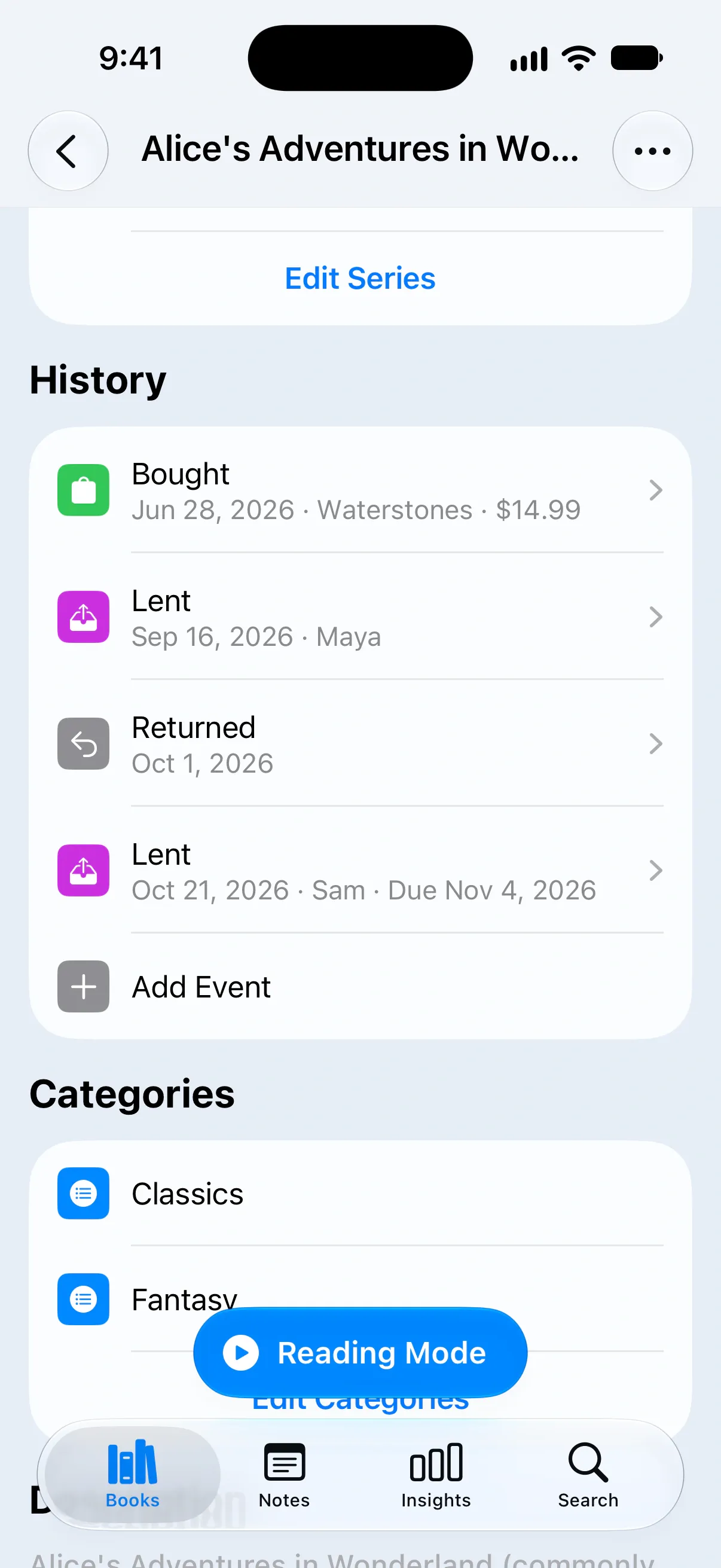
If you delete an event, Bookrise updates the status to match the remaining history.
Due-back reminders
With Remind Me on, you’ll get a notification on the due date. It tells you who to return a borrowed book to, or who is due to return one to you.
Reminders are only sent while the loan is the book’s latest event. Recording a return stops them.
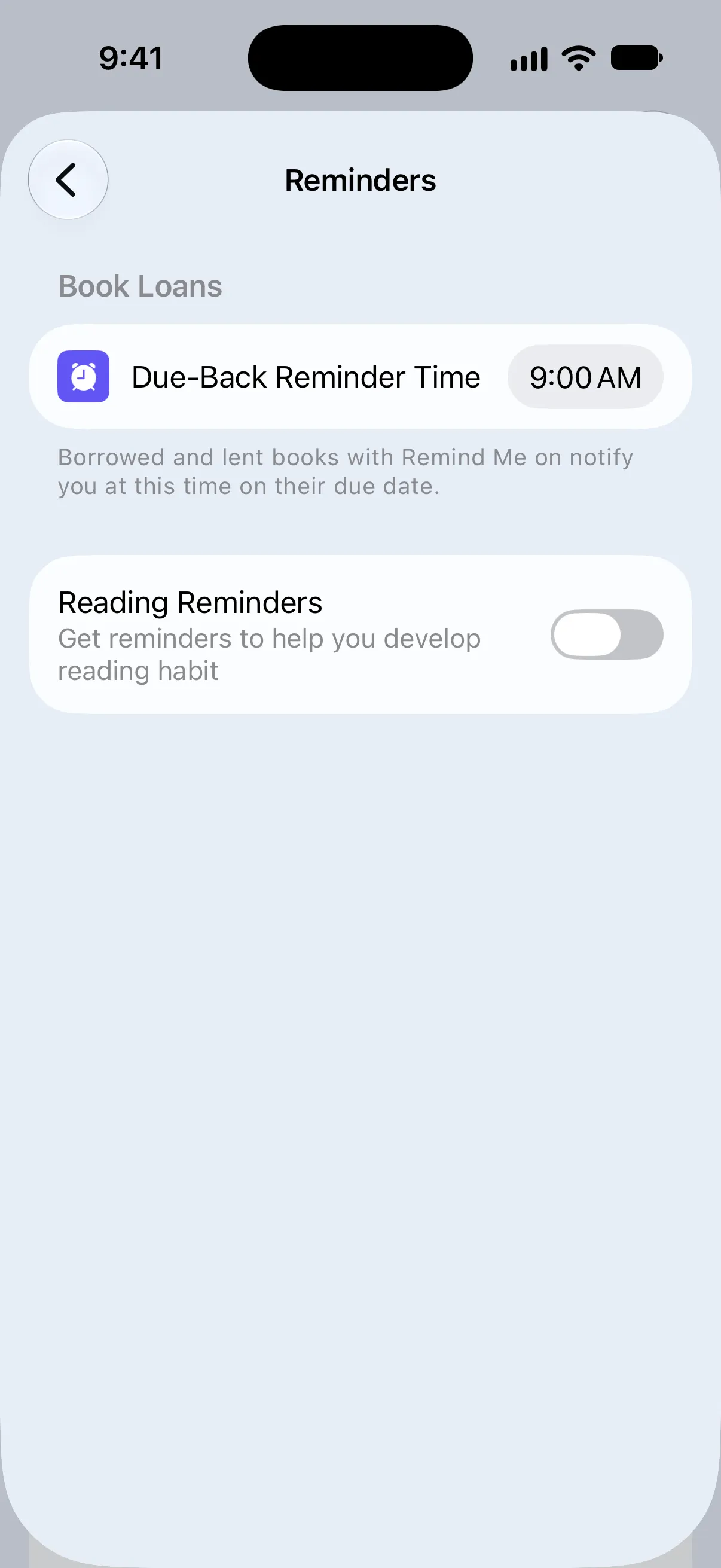
To choose when reminders arrive, open Settings → Reminders and change Due-Back Reminder Time under Book Loans. The default is 9:00 AM, and your choice applies to every loan.
Keep your loans together
Create collections such as “Lent Out” and “Borrowed” to find these books in one place. Add books to the collection as you lend or borrow them, then remove them when they’re returned. Learn how to use collections.
Bookrise keeps the loan details on each book’s page; it doesn’t create a separate list of all your loans.
Questions and answers
Can I see all the books I've lent out in one place?
You can keep them together in a collection such as "Lent Out". Bookrise keeps each loan in the book's History, but doesn't create a separate list of all your loans.
When do due-back reminders arrive?
At 9:00 AM on the due date, unless you've chosen another time. Change it in Settings → Reminders → Due-Back Reminder Time. The same time applies to all your loans.
Do I still get a reminder after the book comes back?
No. Record a Returned event in the book's History to close the loan and stop its reminder.
Related
- How to track book purchases and money spent Keep a record of book purchases, prices and stores, then see how your spending adds up in Bookrise Insights.
- How to organize books with categories and collections Create categories and collections, add or remove books, and find favorites and authors in your Bookrise library.