How to change a book's reading status
Keep track of what you want to read, what you're reading and what you've finished. Change a book's status and correct its reading dates.
A book’s reading status tells Bookrise where to keep it in your library. Change it when you start a book, finish the last page or decide to put it down.
Change the status on the book’s page
- Open the book.
- Tap Reading Status.
- Choose To Read, Reading, Finished or Abandoned.
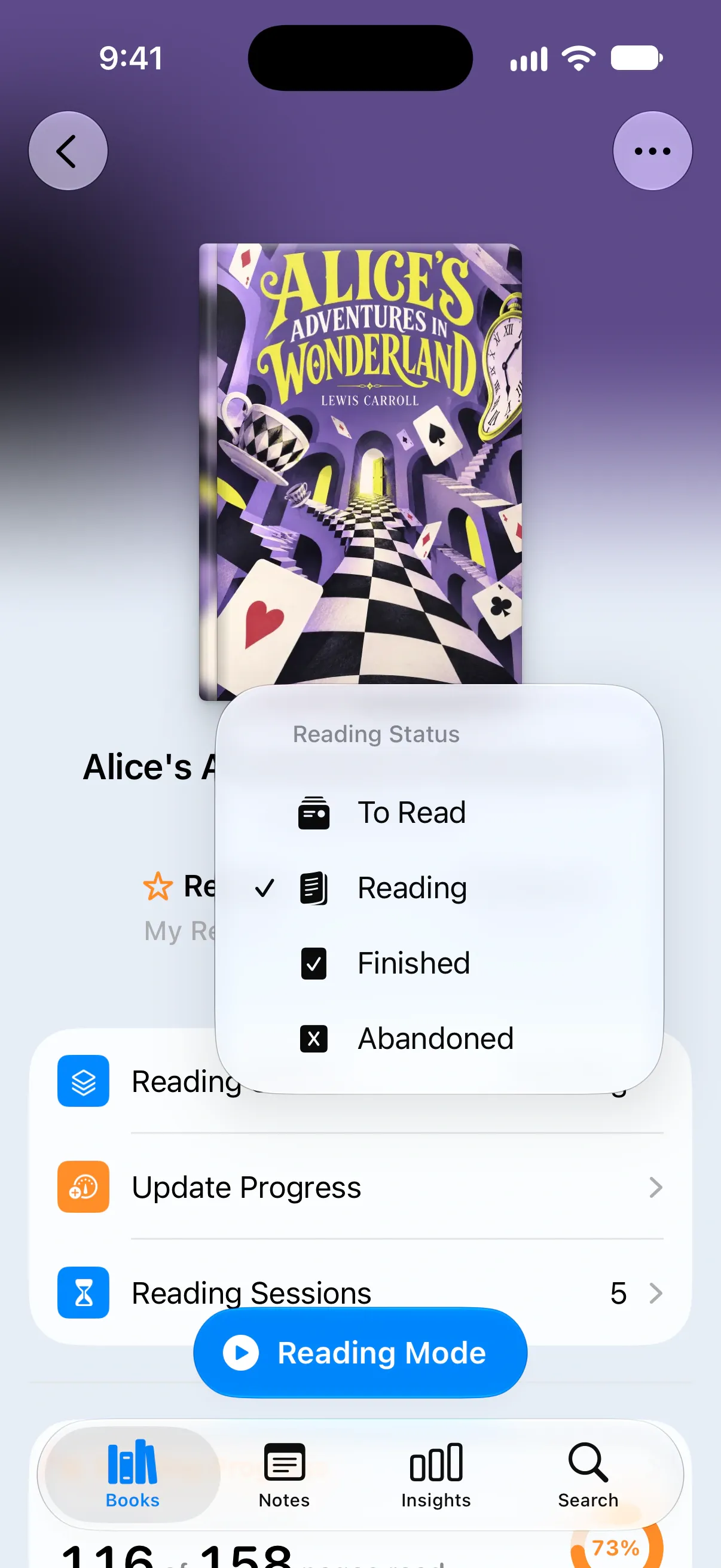
You can also start tracking straight away: saving progress with Update Progress or a Reading Mode session moves a To Read book to Reading for you.
Choose the right status
- To Read: books you’d like to read. You’ll find them in Want to Read on the Books tab.
- Reading: books you’ve started. They appear in Reading Now at the top of the Books tab, ready to pick up again.
- Finished: books you’ve read to the end. They count toward your yearly goal and reading statistics.
- Abandoned: books you’ve put down and don’t plan to finish.
New books start as To Read unless you choose another status. You can set it while adding a book under Book Status → Reading Status in Add Book.
Change the status from a list
You can change a book’s status while browsing a list:
- Open a list, such as All Books or Want to Read.
- Touch and hold the book, then choose Update reading status.
- Pick the new status.
You’ll see Book reading status updated when it’s saved.
What happens when you change it
Bookrise updates the book’s dates along with its status:
- Choose Reading for a book you haven’t started, and today becomes its start date.
- Choose Finished or Abandoned, and today becomes the date you finished or stopped reading.
- Choose To Read, and the book returns to Want to Read with its Added date set to today.
If Review Finished Books is on in Settings, your review also opens when you finish a book. You can write it then or come back to it later.
Pick up a finished book again
If you change a Finished or Abandoned book back to Reading, Bookrise asks Start a Re-read?
- Read Again starts a new read today and keeps the earlier read in your book’s history.
- Continue Last Read reopens the last read. Choose this if you marked the book finished too soon.
Change the start or finish date
To record a different start or finish day:
- Open the book.
- Tap the date below its title, next to My Review.
- Choose the right day. Dates in the future aren’t available.
Find books by status
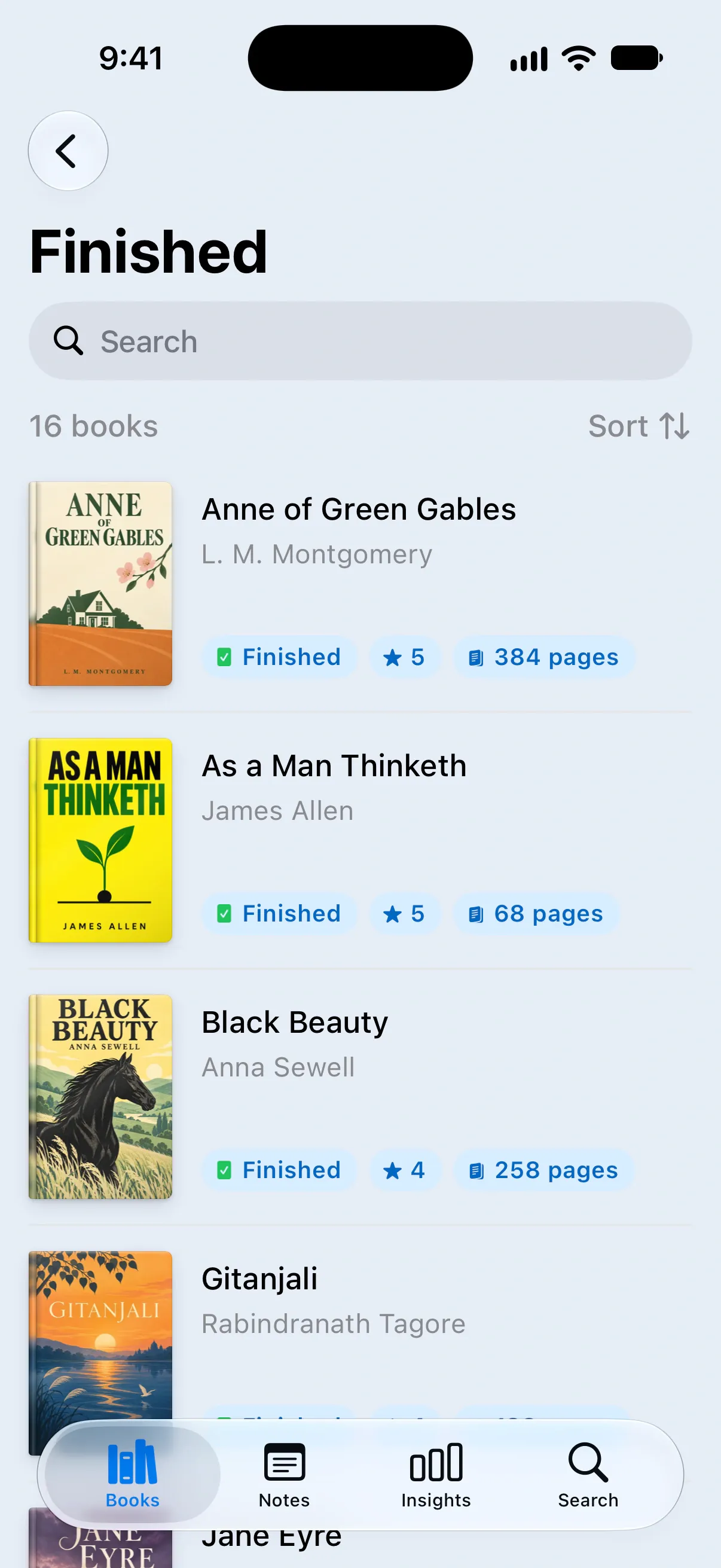
Open the Books tab and scroll to Library. You’ll find Want to Read, Reading, Finished and Abandoned, along with All Books and Favorites.
Each card shows how many books are in that list. Tap one to browse, then use Search or Sort to find the book you want.
Questions and answers
What's the difference between To Read and Want to Read?
They mean the same thing. To Read is the status you choose on a book's page. Want to Read is the name of that list on the Books tab.
What happens if I mark a finished book as Reading again?
Bookrise asks whether you'd like to start a re-read or continue your last read. Choose Read Again to start fresh and keep your earlier history, or Continue Last Read if you marked the book finished too soon.